The screens below show the real working product without exposing a live event workspace. A private walkthrough can be arranged around your event, operating model and service questions.
01
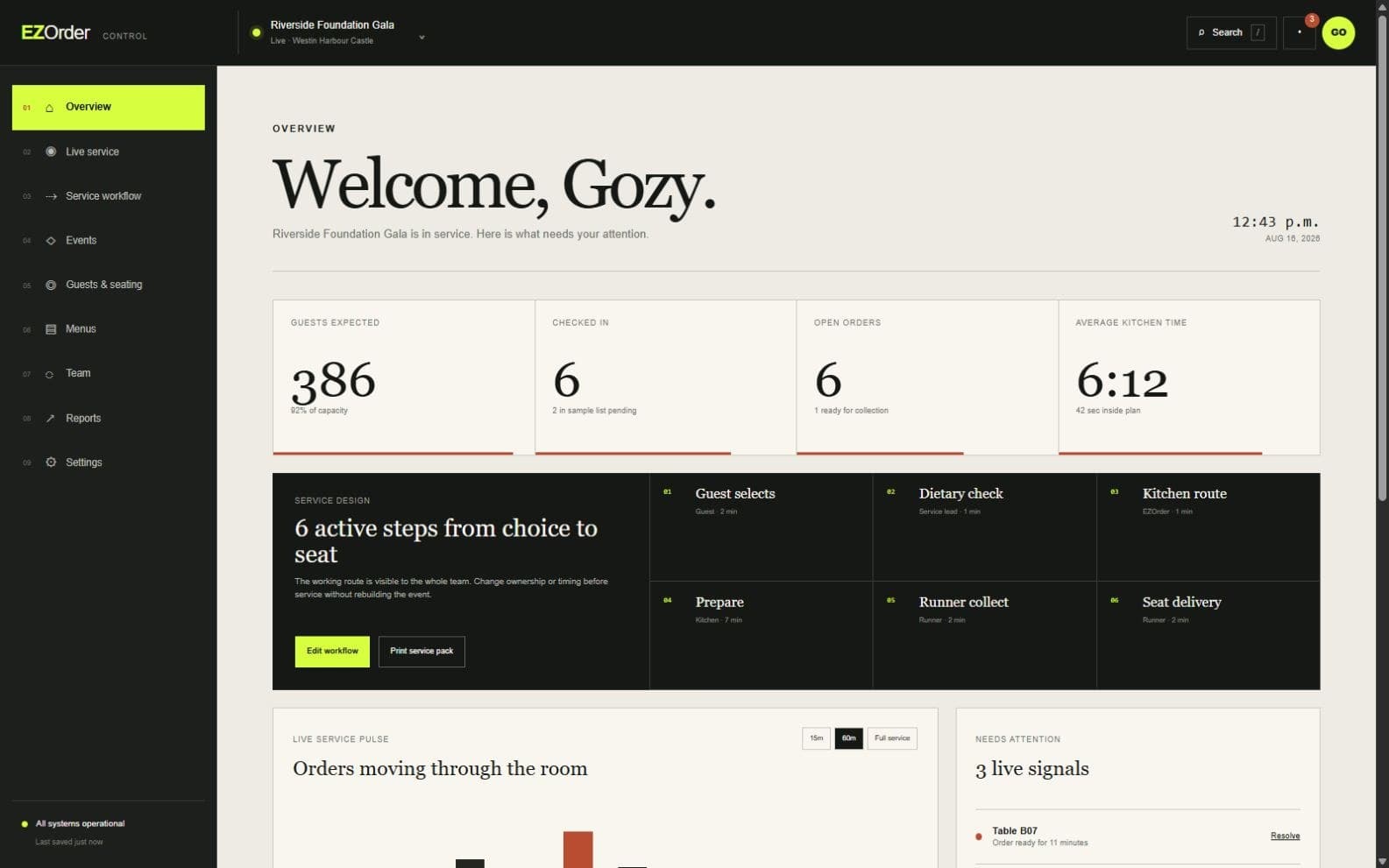
Operations overview
Read the room before it has to shout.
One view holds the signals that normally live in separate conversations: attendance, open orders, kitchen time, runner coverage and the few exceptions that actually need attention.
Live service pulse
Exception-led alerts
Order movement
vertexst.com / EZOrder
Actual EZOrder product screen · sample event data
02
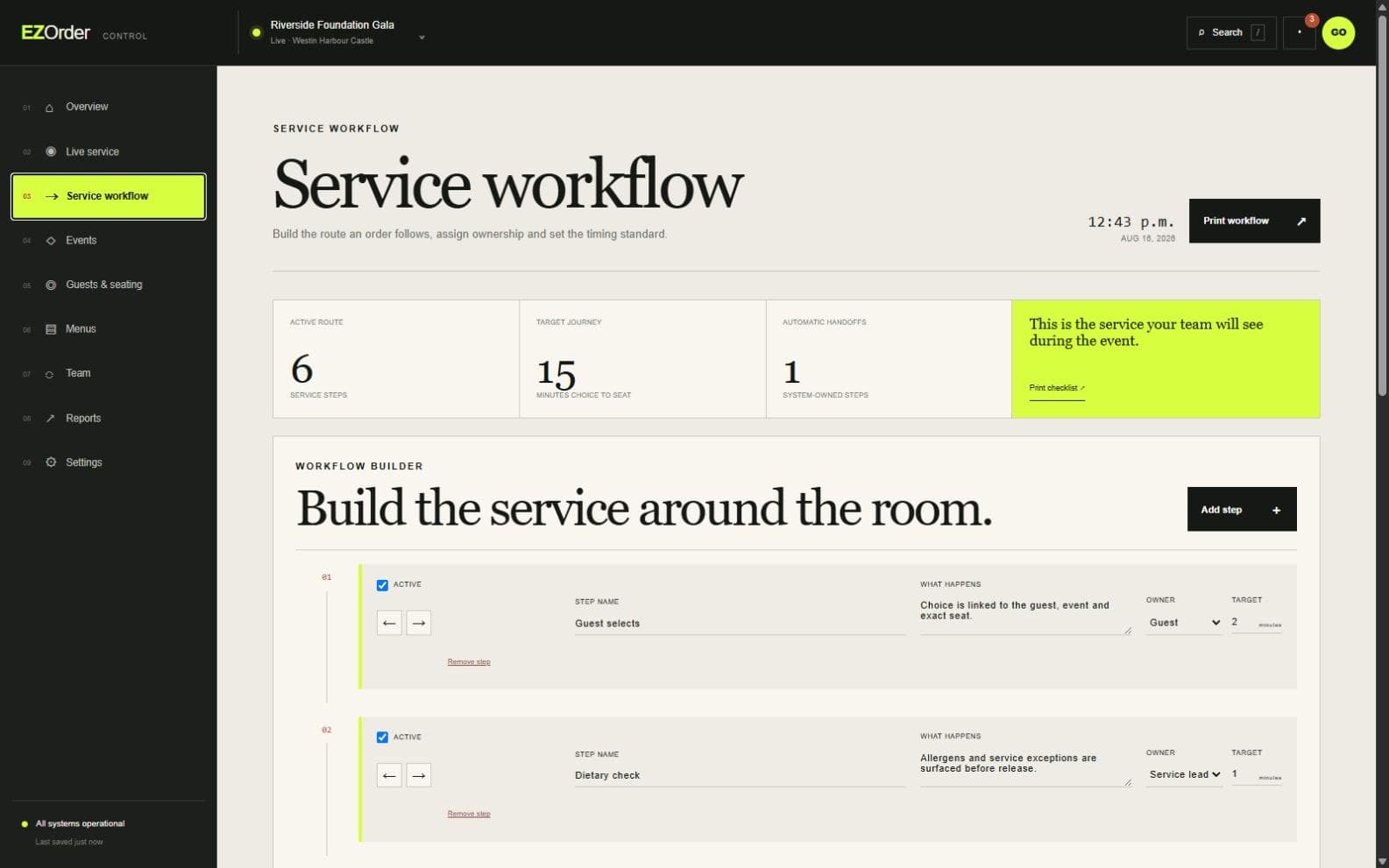
Service workflow
Build the service around the room.
Owners can shape the journey from guest choice to seat delivery: reorder steps, change ownership, set timing targets, skip what does not apply and print the finished operating workflow for the team.
Editable service steps
Named handoffs
Printable team workflow
vertexst.com / EZOrder
Actual EZOrder product screen · sample event data
03
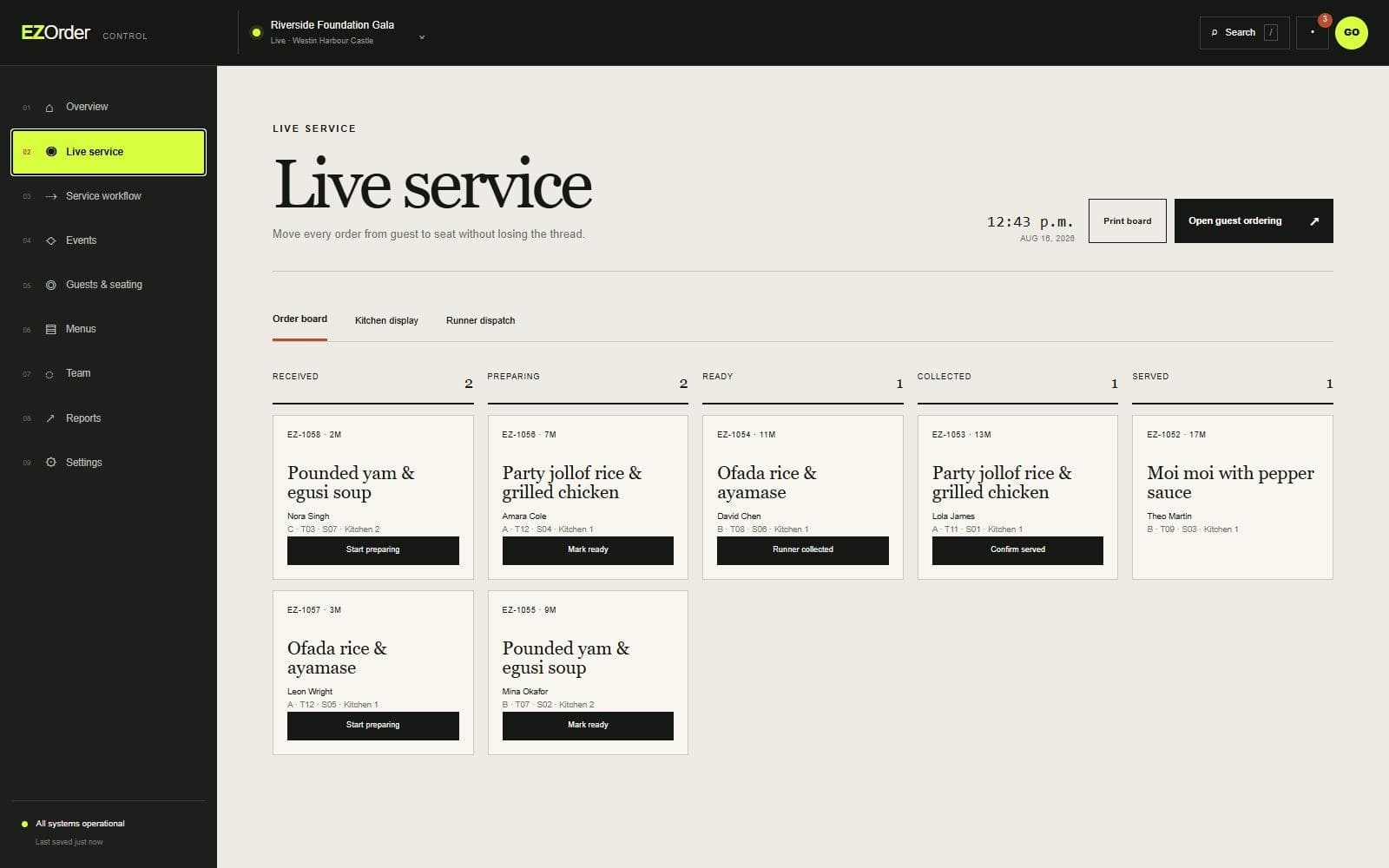
Live service board
Every order keeps its place in the room.
A guest choice stays attached to its course, kitchen, section, table and seat as it moves from received to served. Teams work from one shared version of what is happening.
Kitchen-ready queues
Runner handoff
Seat-level delivery
vertexst.com / EZOrder
Actual EZOrder product screen · sample event data
04
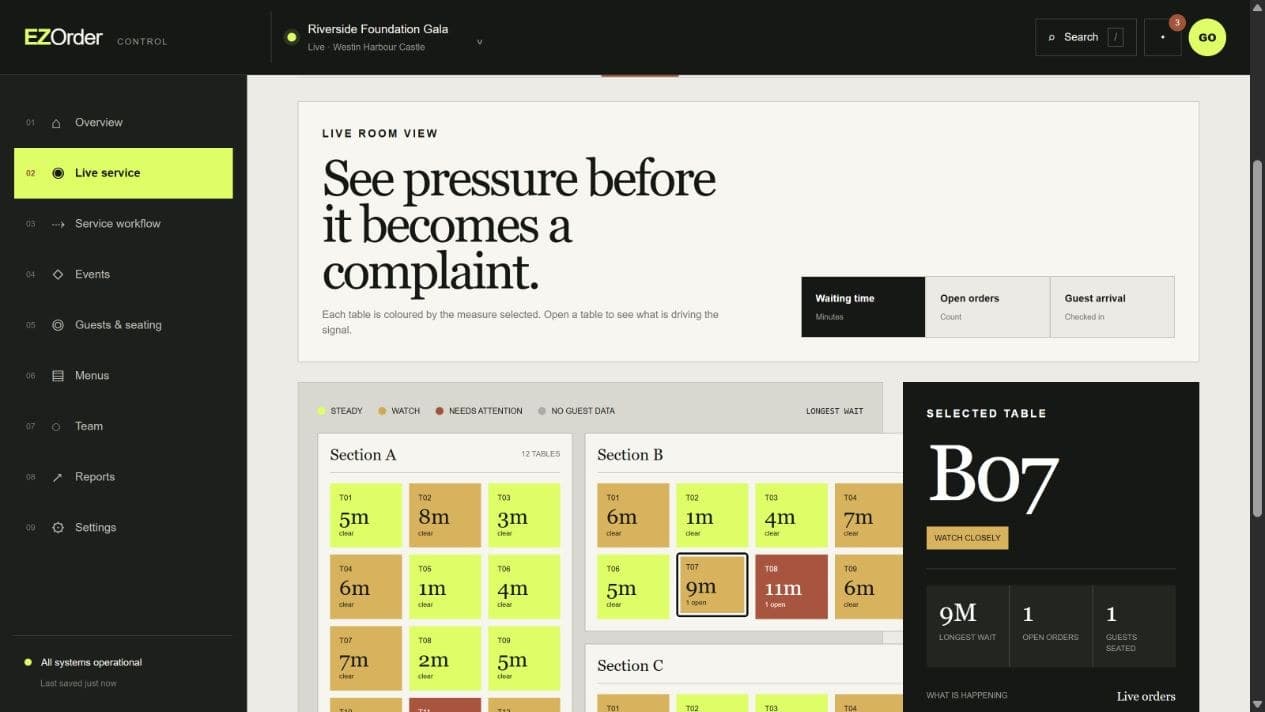
Room heatmap
Know which tables are starting to feel the wait.
Waiting time, open orders and guest arrival can be read across the room at once. Selecting a table shows the order and service detail behind the colour, so intervention is specific rather than general.
Table-level pressure
Switchable service measures
Order detail behind every signal
vertexst.com / EZOrder
Actual EZOrder product screen · sample event data
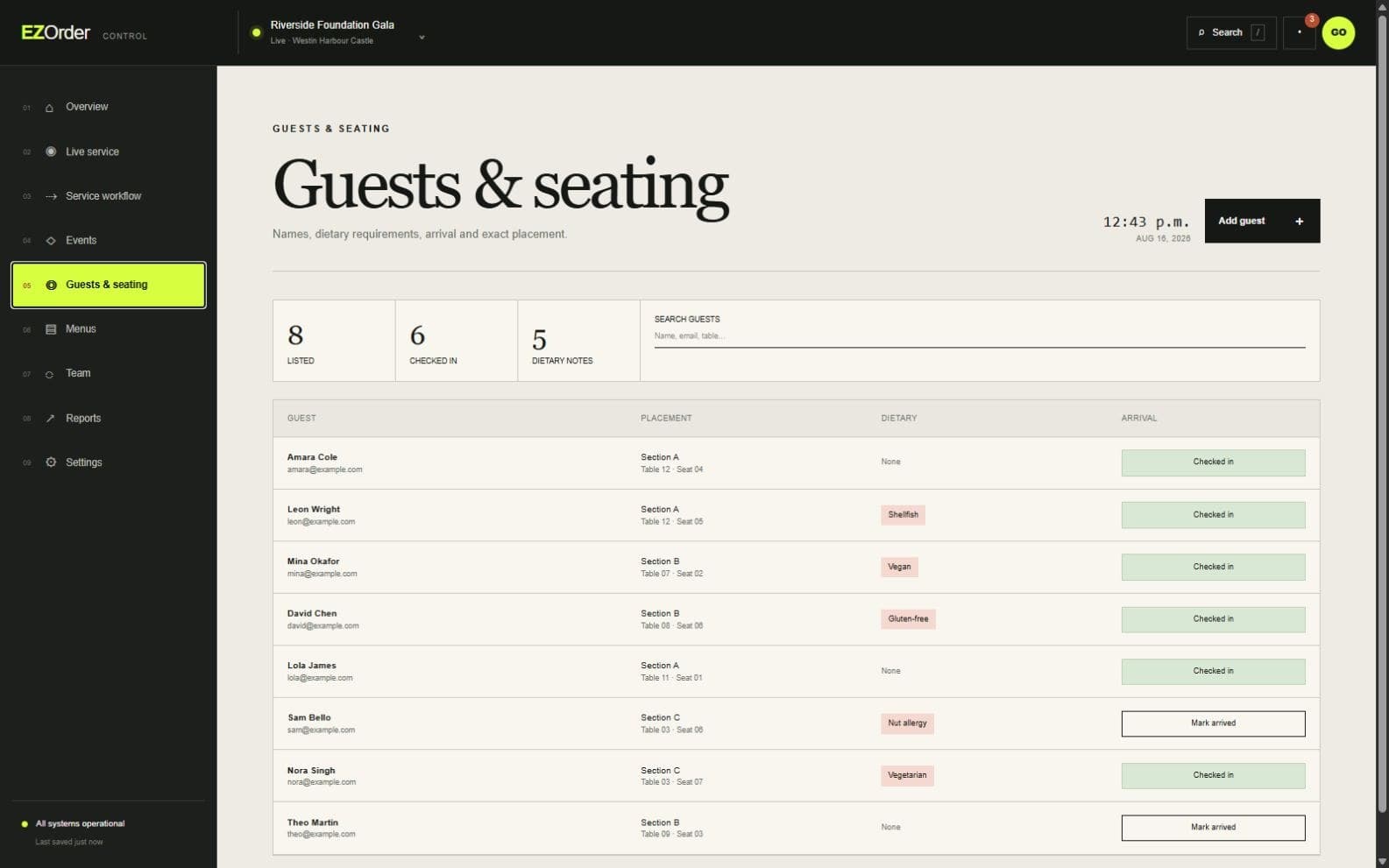
05
Guests and seating
Hospitality starts with knowing who sits where.
Guest records, arrival, dietary information and exact placement are kept together. The service team can act on what matters without passing spreadsheets around the room.
Guest check-in
Dietary visibility
Table and seat assignment
vertexst.com / EZOrder
Actual EZOrder product screen · sample event data
In a private walkthrough
01
Follow an order
Place a guest order and watch it move through the kitchen, runner and delivery states.
02
Set the room
Build sections, tables, menus, courses, teams and the rules that govern service.
03
Read performance
See timings, capacity, exceptions and service results without reconstructing the night afterwards.
For event operators
Bring us the room you are planning.
We will show you how EZOrder would handle it—using your scale, service sequence and constraints.